
01
Review documents
- Input
- A purchase brief and supplier quotations
- Task
- Compare each quote against the requirements
A focused review list
Specification differences, missing details and references to check.
See the quotation exampleAgent Workbench brings task-specific AI assistants, your information and connected tools into one place. Give an assistant a job, follow its progress and check what comes back.
A Workbench account and access to the relevant assistant are required.
Start with a defined workflow. Connect only the information and tools it needs.
Specification differences, missing details and references to check.
See the quotation exampleStatus, amount and relevant record details, subject to access.
Discuss a system connectionReview findings and available visual evidence for a professional to check.
Discuss a drawing workflowThese are configured workflow examples, not customer case studies. Validate your documents and systems with us.
For the team configuring the workspace: define instructions, connect knowledge and tools, and manage who can use them. Each integration needs its own validation.
Use the files and knowledge needed for the task.
Work with configured tools and the access your organization permits.
Inspect available execution, authorization and security records.
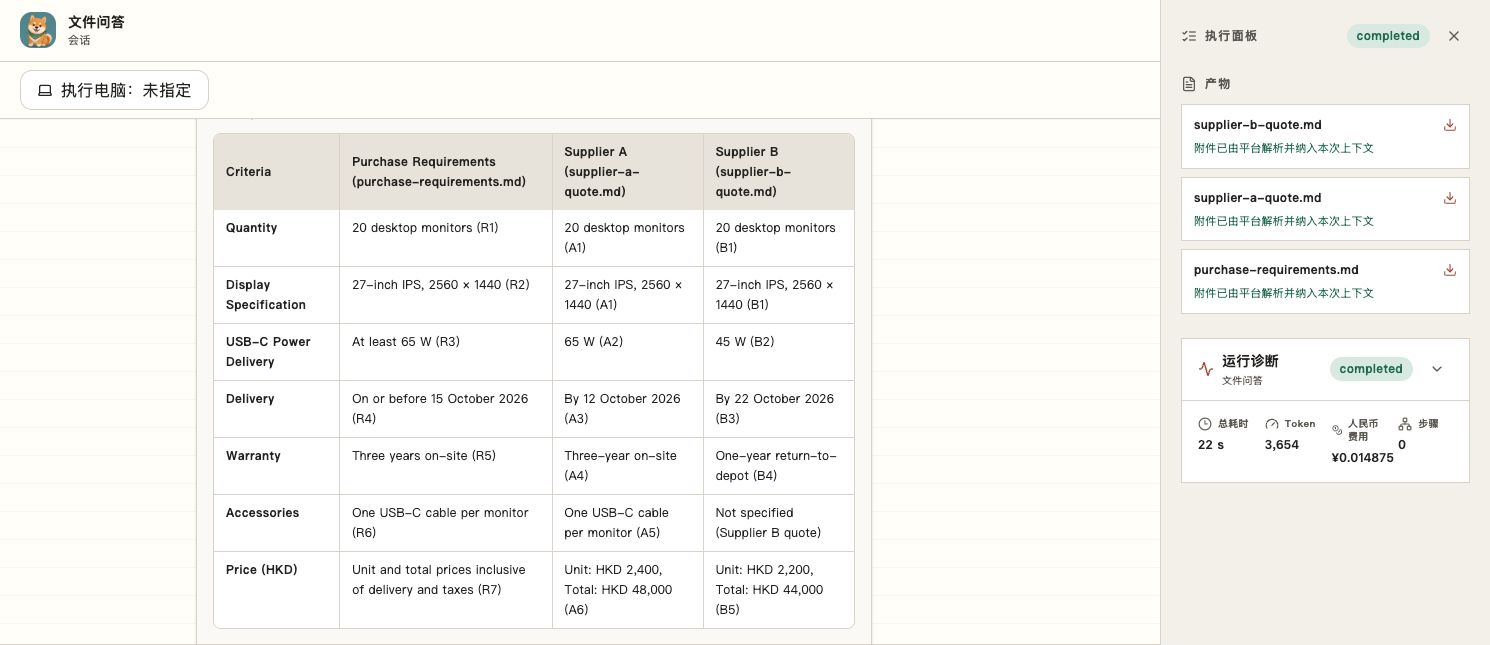
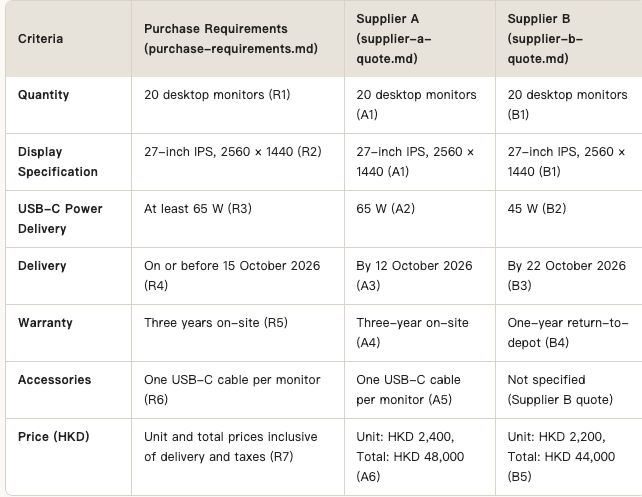
One purchase brief, two quotations. Follow a real Workbench run that compares specifications, flags differences and separates missing information from confirmed mismatches. The input documents are fictional demonstration materials.
Explore the quotation reviewHKD 4,000lower quoted total
Comparison summary, not a supplier selection. A: HKD 48,000. B: HKD 44,000.
Tell us what your team needs to get done. Desktop and Office workflows can be discussed in a separate demonstration.